
Cloud Server Providers: Best Options for 2026 Hosting Needs

Source:https://dt2sdf0db8zob.cloudfront.net

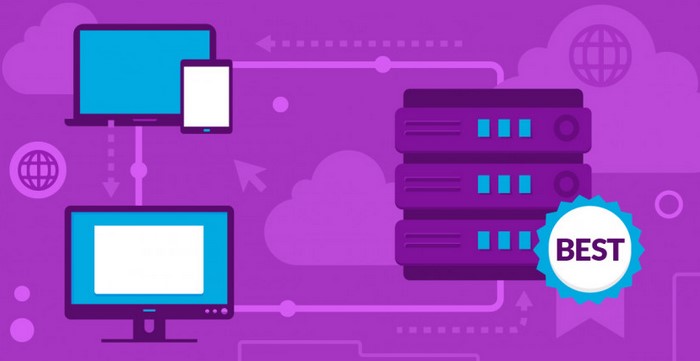
As businesses and individuals continue to embrace digital transformation, the demand for reliable, scalable, and secure hosting solutions is greater than ever. Cloud hosting has emerged as the preferred choice for most organizations, offering flexibility, cost efficiency, and enhanced performance. Choosing the right cloud server providers for your hosting needs in 2026 is critical to ensuring that your infrastructure remains fast, secure, and capable of supporting the growing demands of your applications and services. This article explores the best cloud server providers for 2026, examining their features, benefits, and what makes them ideal choices for businesses in the coming years.

Why Cloud Hosting is Essential for 2026

1. Scalability and Flexibility

One of the primary reasons that cloud hosting has gained immense popularity is its scalability. Unlike traditional hosting methods, where resources like bandwidth and storage are fixed, cloud hosting allows users to scale up or down based on their needs. This flexibility is essential for businesses, especially as workloads and customer demands fluctuate throughout the year. Whether you are launching a new product, running a marketing campaign, or experiencing seasonal spikes in traffic, cloud server providers give you the ability to adjust resources on demand.

For 2026, businesses will need even greater flexibility as their digital operations become more complex. Cloud servers are not only capable of scaling resources, but they also allow for easy integration with other cloud-based services, such as AI, machine learning, and data analytics, which are expected to become more mainstream in the coming years. This means that businesses can continue to innovate while maintaining reliable infrastructure.

2. Enhanced Security

Security is a top concern for businesses operating online. In 2026, as cyber threats evolve, it will be more important than ever to choose a cloud hosting provider that offers robust security measures. Modern cloud hosting solutions often come with built-in security features such as encryption, DDoS protection, firewalls, and multi-factor authentication, which are essential for safeguarding sensitive data and preventing unauthorized access.

Top cloud server providers also offer automatic software updates and patches, reducing the risk of vulnerabilities in your hosting environment. As security threats become more sophisticated, partnering with cloud providers that prioritize security and compliance will be essential for businesses looking to protect both their data and their customers’ privacy.

3. Cost Efficiency and Performance

Cloud hosting provides businesses with a cost-efficient way to manage IT infrastructure. Rather than investing in costly physical servers and maintaining them, cloud server providers operate on a pay-as-you-go model, where businesses only pay for the resources they use. This ensures that companies can save on capital expenditures and operational costs while still accessing powerful server resources.

In 2026, as cloud technology continues to improve, businesses can expect even more optimized performance and lower costs. Cloud providers are expected to introduce better resource management tools, enhanced load balancing, and faster response times, which will further improve the overall performance of hosted applications and websites. Businesses that choose the right cloud provider can achieve high performance without breaking the bank.

Top Cloud Server Providers for 2026 Hosting Needs

1. Amazon Web Services (AWS)

Amazon Web Services (AWS) has long been a leader in the cloud hosting market, and it continues to dominate the space due to its vast array of services, global infrastructure, and constant innovation. AWS offers a variety of cloud hosting solutions, including compute power, storage, databases, machine learning, and analytics, all tailored to meet the needs of businesses of all sizes.

In 2026, AWS will likely continue to be the top choice for organizations requiring scalability and performance. With its Elastic Compute Cloud (EC2), AWS allows users to quickly scale resources up or down based on their requirements. AWS also offers a comprehensive suite of tools for security, including Identity and Access Management (IAM), encryption, and compliance certifications, making it ideal for businesses concerned with data privacy and protection.

AWS’s global data centers provide low-latency access to users around the world, ensuring fast performance for businesses operating in multiple regions. While AWS can be more expensive than some other providers, its flexibility, reliability, and feature-rich ecosystem make it a top contender for cloud hosting in 2026.

2. Microsoft Azure

Microsoft Azure is another major player in the cloud hosting industry. Known for its seamless integration with Microsoft’s enterprise software suite, Azure is an excellent choice for businesses already using Microsoft products like Office 365, Windows Server, and SQL Server. As of 2026, Azure is expected to continue its expansion, offering even more cloud-based solutions for businesses looking for a hybrid cloud model or full migration to the cloud.

Azure provides a variety of hosting options, including virtual machines, app services, and container solutions, making it a versatile option for businesses with diverse needs. Azure’s strength lies in its hybrid cloud solutions, which allow businesses to combine on-premise infrastructure with cloud resources. This is particularly useful for enterprises with legacy systems or those who need to adhere to specific regulatory requirements.

With robust security features, including multi-factor authentication, encryption, and threat detection, Microsoft Azure is a reliable choice for businesses looking to maintain high levels of data security in 2026. Additionally, Azure’s integration with AI and machine learning tools allows businesses to build intelligent applications and optimize workflows.

3. Google Cloud Platform (GCP)

Google Cloud Platform (GCP) is gaining traction in the cloud hosting space due to its advanced data analytics, machine learning capabilities, and high-performance infrastructure. Known for its cutting-edge technology and services, GCP is an excellent choice for businesses looking to harness the power of big data and AI in 2026.

One of GCP’s most significant advantages is its high-performance compute offerings, including Google Compute Engine and Google Kubernetes Engine. These services are designed to handle complex workloads and large datasets with ease. GCP’s strong focus on data analytics and machine learning also sets it apart, offering businesses powerful tools for real-time insights, predictive analytics, and automation.

Google’s network infrastructure is another selling point. The company’s private fiber-optic network ensures low-latency and high-speed connectivity, which is crucial for businesses that rely on fast data processing. GCP is a strong choice for businesses focused on data-driven applications and AI/ML, and its cost-effective pricing models make it a competitive option for those seeking reliable cloud hosting at scale.

4. DigitalOcean

For small businesses, startups, and developers looking for simplicity and affordability, DigitalOcean is a standout option. While not as large as AWS or Azure, DigitalOcean offers a user-friendly interface, competitive pricing, and easy-to-deploy cloud solutions. With its focus on simplicity and developer-friendly tools, DigitalOcean is perfect for businesses that need to quickly launch and scale applications without the complexity of larger cloud providers.

In 2026, DigitalOcean is expected to continue providing cost-effective and high-performance cloud solutions for developers and small businesses. With its flexible pricing structure and focus on ease of use, DigitalOcean remains a popular choice for those who need to get started with cloud hosting quickly and with minimal overhead.

5. Oracle Cloud Infrastructure (OCI)

Oracle Cloud Infrastructure (OCI) is a robust cloud platform designed for businesses with complex IT needs. Known for its enterprise-grade cloud services, OCI offers high-performance computing, autonomous databases, and cloud storage solutions tailored to meet the requirements of large enterprises.

In 2026, OCI will continue to be an excellent choice for businesses that require high availability, scalability, and advanced security. Oracle’s database services are particularly attractive for organizations with heavy data requirements, and its cloud-native solutions provide businesses with everything they need to migrate, integrate, and innovate in the cloud.

When choosing cloud server providers for your hosting needs in 2026, it’s important to consider scalability, security, performance, and cost-efficiency. Providers like Amazon Web Services, Microsoft Azure, and Google Cloud Platform are expected to remain dominant players in the cloud space, offering powerful solutions for businesses of all sizes. However, for those seeking simplicity and cost-effectiveness, providers like DigitalOcean and Oracle Cloud Infrastructure offer strong alternatives. The right cloud provider will depend on your business’s specific needs, but with the right partner, you can ensure that your IT infrastructure is both flexible and reliable as your business continues to grow in 2026 and beyond.

Cloud Automation: Simplifying IT Operations at Scale

Source:https://cdn.prod.website-files.com

In the rapidly evolving world of IT, organizations are increasingly adopting cloud automation to streamline and scale their operations. Cloud automation refers to the use of automated processes and tools in cloud computing environments to manage infrastructure, applications, and services with minimal manual intervention. By leveraging cloud automation, businesses can reduce operational complexity, improve efficiency, and ensure that IT operations are aligned with business goals. This article delves into the key benefits, use cases, and best practices for implementing cloud automation at scale, offering insights into how organizations can simplify their IT operations in the cloud.

Understanding Cloud Automation and Its Benefits

1. Streamlining Repetitive Tasks

One of the primary benefits of cloud automation is the ability to streamline repetitive and time-consuming tasks. In traditional IT environments, many routine activities—such as provisioning servers, managing software updates, or deploying applications—require manual effort, which can lead to inefficiencies, human error, and delays. Cloud automation eliminates the need for manual intervention by using scripts, tools, and workflows to execute these tasks automatically.

For example, provisioning new instances or scaling cloud resources up or down can be done in minutes with automated workflows, rather than requiring IT staff to manually configure each server or resource. This results in faster deployment times, greater operational efficiency, and reduced human error, all of which contribute to more reliable and consistent IT operations.

Additionally, automation in the cloud environment can be scheduled, allowing organizations to perform tasks during off-peak hours, ensuring minimal disruption to business operations. This leads to better resource utilization, reduced downtime, and a more streamlined overall workflow.

2. Improved Scalability and Flexibility

In today’s cloud-centric world, businesses need to scale their IT resources quickly to meet changing demands. Manual processes often become a bottleneck in achieving this level of scalability, as adding new servers, managing capacity, or adjusting configurations manually can take hours or even days. Cloud automation enables businesses to automatically adjust their infrastructure based on real-time usage patterns, ensuring they can scale up or down with ease and without human intervention.

For instance, cloud automation tools can automatically scale server instances based on CPU usage, network traffic, or other performance indicators. If an application experiences a surge in traffic, the system can automatically provision additional resources to handle the increased demand. Once the traffic decreases, the resources can be scaled down to save costs. This level of automation ensures that resources are used efficiently and cost-effectively, making it possible to accommodate growth without over-provisioning infrastructure.

With cloud automation, businesses can achieve the agility they need to respond to market changes, enhance customer experiences, and maintain a competitive edge. The flexibility to quickly adapt to new demands is critical in today’s dynamic business environment.

3. Enhanced Security and Compliance

Security and compliance are top priorities for businesses operating in the cloud, especially with the increasing frequency of cyberattacks and stringent regulatory requirements. Cloud automation can help businesses maintain high levels of security by enforcing consistent security policies and monitoring for potential vulnerabilities. Automated processes can be used to ensure that security patches and updates are applied promptly, reducing the risk of security breaches.

For example, cloud automation can be used to automatically monitor and audit cloud environments for security compliance, ensuring that resources are configured according to security best practices. Automated alerting systems can notify administrators of any deviations from compliance standards or potential vulnerabilities, allowing them to address issues proactively.

In regulated industries such as healthcare, finance, and government, automated compliance reporting is also invaluable. Cloud automation can be configured to track and log activities in a way that simplifies compliance with standards like GDPR, HIPAA, and PCI-DSS. This reduces the manual effort required for auditing and ensures that businesses are always in compliance with evolving regulations.

Key Use Cases for Cloud Automation

1. Automated Infrastructure Provisioning and Management

Cloud automation is most commonly used for provisioning and managing cloud infrastructure. In a traditional IT environment, provisioning servers and networks often involves manual configuration and deployment, a process that can be slow and error-prone. With cloud automation, businesses can define infrastructure as code (IaC), allowing them to automatically provision and configure resources based on predefined templates.

For instance, using tools like Terraform or AWS CloudFormation, organizations can write code to define the desired state of their infrastructure and deploy it in an automated fashion. Once the infrastructure is defined, the automation tool ensures that the necessary resources are provisioned and configured correctly. This reduces the complexity of managing infrastructure and ensures that resources are deployed consistently across environments, whether they’re in development, staging, or production.

2. Continuous Integration and Continuous Delivery (CI/CD)

Another powerful application of cloud automation is in the realm of software development and deployment. The modern approach to software delivery relies heavily on continuous integration (CI) and continuous delivery (CD), which allows teams to automatically build, test, and deploy code changes to production environments. With cloud automation, these processes can be completely automated, enabling faster and more reliable software releases.

Automated CI/CD pipelines can be set up to trigger when developers push code to a repository, run tests, build applications, and deploy them to cloud environments. If a build passes all tests, it can be automatically deployed to production, reducing the time and effort required for manual intervention. This not only accelerates the software development lifecycle but also helps organizations maintain high-quality, bug-free code in production environments.

By automating the CI/CD pipeline, businesses can deliver new features and updates to customers more quickly while ensuring that their software is always running smoothly and securely.

3. Monitoring and Incident Management

Monitoring cloud environments for performance, uptime, and security issues is critical for maintaining smooth operations. Cloud automation can help businesses proactively monitor their infrastructure and applications, responding to potential issues before they escalate into full-blown incidents. Automated monitoring tools can track resource usage, application performance, and security vulnerabilities in real-time.

For example, cloud automation can be used to automatically trigger corrective actions, such as scaling resources or restarting services, when performance thresholds are breached. If a server becomes unresponsive, an automated script can spin up a new instance to replace it, ensuring minimal downtime. Similarly, automated incident management workflows can escalate issues to the appropriate team members, reducing response times and improving service reliability.

By automating monitoring and incident management, organizations can increase uptime, reduce downtime, and ensure that customer-facing services are always available.

Best Practices for Implementing Cloud Automation

1. Start Small and Scale Gradually

While cloud automation offers significant benefits, it’s important to start small and gradually scale automation efforts. Begin by automating simpler tasks, such as infrastructure provisioning or software updates, and then expand to more complex workflows as you gain experience. This allows organizations to fine-tune their processes and ensure that automation is working as expected before applying it to larger or more critical systems.

2. Invest in Training and Skill Development

Cloud automation requires specialized knowledge and expertise. It’s essential to invest in training for your IT team so they can effectively manage and operate automated systems. This includes understanding the tools and platforms used for automation, as well as the principles of infrastructure as code (IaC) and CI/CD pipelines. Equipping your team with the right skills ensures that they can leverage cloud automation to its fullest potential.

3. Continuously Monitor and Optimize Automated Processes

Automation isn’t a “set it and forget it” solution. Once automated processes are in place, they should be continuously monitored and optimized. Review automation workflows regularly to ensure they are still meeting business needs and performance goals. Additionally, as technology and business requirements evolve, automation tools and processes may need to be adjusted or updated to keep up with new developments.

Cloud automation is transforming the way organizations manage and scale their IT operations. By automating routine tasks, improving scalability, enhancing security, and enabling more efficient management of cloud resources, businesses can unlock significant efficiencies and better meet their operational goals. As organizations continue to grow and expand their cloud environments, cloud automation will play a critical role in simplifying IT operations at scale. Embracing this technology today positions businesses to stay ahead of the competition while ensuring operational excellence in the future.

Multi-Cloud Strategy: The Smart Approach to Scalability and Security

Source:https://www.cloudwards.net

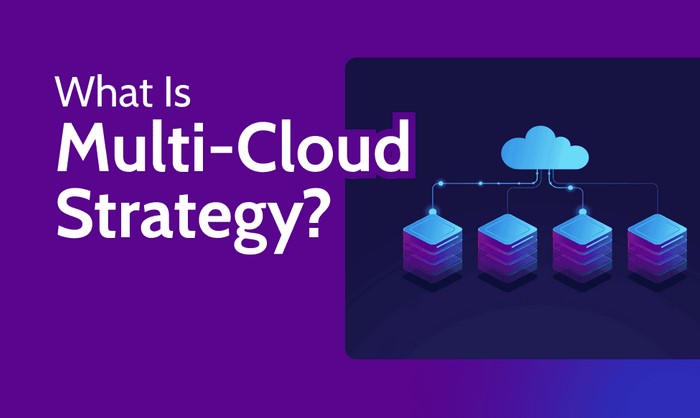
In today’s fast-paced digital landscape, businesses are increasingly turning to multi-cloud strategies to gain a competitive edge in terms of scalability, flexibility, and security. A multi-cloud strategy involves using services from more than one cloud provider, allowing organizations to spread their workloads across various environments to reduce risk and increase performance. With the rapid growth of cloud technologies, businesses must adapt to leverage the benefits of multiple cloud platforms, ensuring they’re not reliant on a single provider for their infrastructure needs. This article explores why a multi-cloud strategy is the smartest approach to scalability and security and how organizations can effectively implement this approach in 2026.

The Advantages of Multi-Cloud Strategy

The increasing adoption of cloud computing services has made it clear that relying on a single cloud provider can limit the potential of a business. While cloud providers such as AWS, Microsoft Azure, and Google Cloud offer powerful capabilities, each has its own strengths and limitations. By leveraging multiple cloud environments, businesses can take advantage of a diverse range of services and tools tailored to their unique needs.

Enhanced Scalability and Flexibility

Scalability is one of the most significant advantages of a multi-cloud strategy. Companies that adopt a multi-cloud approach can scale their infrastructure more efficiently by utilizing the specific strengths of different cloud providers. For instance, one cloud platform might offer superior computing power, while another excels in storage capabilities or artificial intelligence tools. By using multiple providers, businesses can ensure they are always utilizing the most cost-effective and efficient resources available.

Moreover, a multi-cloud strategy allows businesses to scale their services up or down depending on demand, ensuring they only pay for what they use. This level of flexibility is crucial for companies in industries with fluctuating workloads, such as e-commerce or media streaming services. Additionally, businesses can avoid the limitations and downtime associated with a single cloud provider, which is particularly important when considering the impact on customers and revenue during periods of service disruption.

Risk Mitigation and Vendor Lock-In Avoidance

Another key benefit of a multi-cloud strategy is risk mitigation. When businesses rely on a single cloud provider, they risk vendor lock-in, where they become dependent on one platform’s services, pricing models, and terms. This can leave organizations vulnerable to price hikes, service outages, or a shift in the provider’s strategy that may no longer align with the business’s needs.

Using multiple cloud platforms spreads risk across different vendors, reducing the likelihood of a single point of failure. If one provider experiences downtime or a service disruption, the other cloud platforms can pick up the slack, minimizing business interruptions. This distributed approach to risk is particularly valuable for organizations that require continuous uptime and availability, such as financial institutions or online retailers.

Security and Compliance in Multi-Cloud Environments

As businesses embrace multi-cloud strategies, they are also becoming increasingly aware of the importance of cybersecurity and compliance. Managing data and workloads across multiple cloud platforms can be a complex task, but it offers significant security advantages when implemented properly. With a well-structured multi-cloud strategy, businesses can design more robust security measures by taking advantage of the strengths of each platform’s security features.

Strengthening Security Through Redundancy

One of the most prominent security advantages of a multi-cloud strategy is redundancy. Cloud providers invest heavily in security, offering features like encryption, intrusion detection systems, and advanced access control. By using multiple providers, businesses can create an additional layer of security by distributing sensitive data across different environments. This makes it significantly harder for cybercriminals to gain access to all of a company’s data at once.

Furthermore, a multi-cloud environment allows businesses to customize their security strategy. For instance, they may store certain types of sensitive data in one cloud provider with advanced encryption capabilities, while utilizing another provider’s platform for high-speed processing that is more resilient to attacks. This approach not only strengthens security but also ensures that data is compartmentalized, reducing the chances of large-scale breaches.

Streamlining Compliance and Regulatory Requirements

Compliance with industry regulations and data protection laws is another key consideration in multi-cloud environments. Regulations such as the General Data Protection Regulation (GDPR) and the Health Insurance Portability and Accountability Act (HIPAA) require businesses to handle data in specific ways, particularly sensitive personal or financial information. A multi-cloud strategy can help companies meet these regulations by enabling them to choose cloud providers that specialize in specific compliance requirements.

For example, businesses in the healthcare sector may use a provider that specializes in HIPAA-compliant services for storing medical records while relying on a different provider for processing and analytics. This segmentation of services ensures that each part of the business is operating in compliance with relevant regulations, thereby mitigating legal and financial risks.

Best Practices for Implementing a Multi-Cloud Strategy

While the benefits of a multi-cloud strategy are clear, businesses must be careful when implementing such a strategy to ensure its success. Adopting the wrong approach can lead to increased complexity, inefficiencies, and unnecessary costs. Here are some best practices for successfully deploying a multi-cloud strategy.

1. Establish Clear Objectives and Needs

Before diving into a multi-cloud approach, businesses should first assess their goals and determine what they hope to achieve. Are they looking to increase scalability, improve security, reduce costs, or avoid vendor lock-in? Understanding these objectives will help determine which cloud providers to use and how to structure the multi-cloud environment effectively.

2. Focus on Interoperability

A multi-cloud environment requires seamless integration and interoperability between different cloud providers. Organizations should invest in tools and platforms that can manage workloads across various clouds without causing disruptions. This may involve using a cloud management platform or deploying hybrid cloud services that facilitate the movement of data and applications between clouds.

3. Implement Robust Security Measures

Security should be a top priority when managing a multi-cloud environment. Businesses must ensure that they have consistent security policies across all cloud platforms, including identity and access management, encryption, and threat monitoring. Automation tools can help detect vulnerabilities and streamline security processes, reducing the risk of human error and ensuring compliance.

4. Monitor and Optimize Performance

Monitoring the performance of a multi-cloud environment is essential to ensure that resources are being used efficiently. By regularly assessing workloads, businesses can identify areas for improvement and optimize their usage of different cloud services. This helps reduce costs while maintaining high performance and availability.

In conclusion, adopting a multi-cloud strategy is an intelligent and forward-thinking approach to enhancing scalability, security, and risk management. As businesses continue to grow and evolve, the need for flexibility and robustness in their cloud infrastructure will only increase. By embracing a multi-cloud approach, organizations can optimize their resources, improve security, and stay competitive in an ever-changing digital landscape. As cloud technologies continue to advance, those who adopt a multi-cloud strategy will be better positioned to capitalize on new opportunities while mitigating potential risks.

Sagemaker Studio: Empowering Machine Learning Workflows

Sagemaker Studio is an Amazon Web Services (AWS) product that provides a comprehensive, integrated development environment for machine learning (ML) workflows. It enables data scientists, ML engineers, and developers to quickly and easily build, train, and deploy ML models. With Sagemaker Studio, users can quickly create ML models, experiment with different algorithms, and deploy models to production. It also provides a range of tools and services to help users manage their ML workflows, such as data exploration, model training, and model deployment. With its intuitive user interface and powerful features, Sagemaker Studio is an ideal platform for ML professionals to quickly and easily build, train, and deploy ML models.

How Sagemaker Studio is Revolutionizing Machine Learning Workflows

Sagemaker Studio is revolutionizing machine learning workflows by providing a comprehensive, integrated development environment (IDE) for data scientists and developers. This IDE enables users to quickly and easily build, train, and deploy machine learning models.

Sagemaker Studio provides a unified platform for data scientists and developers to collaborate on machine learning projects. It offers a range of tools and services that make it easier to develop, train, and deploy machine learning models. These tools include a graphical user interface (GUI) for creating and managing machine learning models, a notebook environment for writing code, and a model deployment service.

The GUI allows users to quickly and easily create and manage machine learning models. It provides a visual representation of the model, allowing users to quickly identify and address any issues. The GUI also provides a range of tools for data exploration, feature engineering, and model evaluation.

The notebook environment allows users to write code in Python, R, or Scala. This makes it easier for users to develop and debug their models. The notebook environment also provides a range of tools for data visualization, model evaluation, and model deployment.

The model deployment service allows users to deploy their models to production. This service provides a range of options for deploying models, including Amazon SageMaker, Amazon EC2, and Amazon ECS. This makes it easier for users to deploy their models to production quickly and easily.

Overall, Sagemaker Studio is revolutionizing machine learning workflows by providing a comprehensive, integrated development environment for data scientists and developers. It offers a range of tools and services that make it easier to develop, train, and deploy machine learning models. This makes it easier for users to quickly and easily build, train, and deploy machine learning models.

Exploring the Benefits of Sagemaker Studio for Machine Learning Teams

Machine learning teams are increasingly turning to Amazon Sagemaker Studio to help them develop and deploy machine learning models. This cloud-based platform provides a comprehensive suite of tools and services that enable teams to quickly and easily build, train, and deploy machine learning models. In this paper, we will explore the benefits of using Sagemaker Studio for machine learning teams.

First, Sagemaker Studio provides a unified environment for machine learning teams to develop and deploy models. This environment includes a variety of tools and services, such as Jupyter notebooks, SageMaker Experiments, and SageMaker Autopilot. These tools and services enable teams to quickly and easily develop and deploy models. Additionally, the platform provides a variety of pre-built algorithms and models that can be used to quickly build and deploy models.

Second, Sagemaker Studio provides a secure environment for machine learning teams to develop and deploy models. The platform is built on Amazon Web Services (AWS) and provides a secure environment for teams to develop and deploy models. Additionally, the platform provides a variety of security features, such as encryption, authentication, and access control. This ensures that teams can securely develop and deploy models without worrying about security breaches.

Third, Sagemaker Studio provides a cost-effective solution for machine learning teams. The platform is built on AWS, which provides a cost-effective solution for teams to develop and deploy models. Additionally, the platform provides a variety of pricing options, such as pay-as-you-go and reserved instances, which enable teams to choose the pricing option that best fits their budget.

Finally, Sagemaker Studio provides a scalable solution for machine learning teams. The platform is built on AWS, which provides a scalable solution for teams to develop and deploy models. Additionally, the platform provides a variety of scaling options, such as auto-scaling and manual scaling, which enable teams to quickly and easily scale their models as needed.

In conclusion, Amazon Sagemaker Studio provides a comprehensive suite of tools and services that enable machine learning teams to quickly and easily develop and deploy models. The platform provides a unified environment for teams to develop and deploy models, a secure environment for teams to develop and deploy models, a cost-effective solution for teams to develop and deploy models, and a scalable solution for teams to develop and deploy models. As such, Sagemaker Studio is an ideal platform for machine learning teams to develop and deploy models.Sagemaker Studio is a powerful tool for empowering machine learning workflows. It provides an intuitive and user-friendly interface for data scientists and developers to quickly build, train, and deploy machine learning models. With its comprehensive set of features, Sagemaker Studio makes it easy to create and manage complex machine learning pipelines. It also provides a secure and reliable environment for data scientists to collaborate on projects and share their results. With its powerful capabilities, Sagemaker Studio is an invaluable tool for any organization looking to leverage the power of machine learning.

The Cloud Computing Revolution: Empowering Businesses Worldwide

The Cloud Computing Revolution has revolutionized the way businesses operate and interact with their customers. It has enabled businesses to access data and applications from anywhere in the world, allowing them to be more agile and responsive to customer needs. Cloud computing has also enabled businesses to reduce costs, increase efficiency, and improve customer service. This revolution has empowered businesses to become more competitive and successful in the global market. This article will explore the benefits of cloud computing and how it has revolutionized the way businesses operate.

How Cloud Computing is Transforming Businesses: A Look at the Benefits and Challenges

Cloud computing is revolutionizing the way businesses operate. By leveraging the power of the cloud, businesses can access a wide range of services and applications that can help them become more efficient, cost-effective, and agile. This article will explore the benefits and challenges of cloud computing for businesses.

The primary benefit of cloud computing is cost savings. By using cloud services, businesses can reduce their IT costs by eliminating the need for expensive hardware and software. Additionally, cloud services are often more reliable and secure than traditional IT solutions, which can help businesses reduce their risk of data loss or security breaches. Furthermore, cloud services are often more scalable than traditional IT solutions, allowing businesses to quickly and easily scale up or down as needed.

Another benefit of cloud computing is increased agility. By leveraging the power of the cloud, businesses can quickly and easily access the latest applications and services, allowing them to stay ahead of the competition. Additionally, cloud services can help businesses quickly respond to changing customer needs and market conditions.

Finally, cloud computing can help businesses become more efficient. By leveraging the power of the cloud, businesses can access a wide range of services and applications that can help them automate processes and streamline operations. This can help businesses reduce their operational costs and increase their productivity.

Despite the many benefits of cloud computing, there are also some challenges that businesses must consider. One of the primary challenges is security. While cloud services are often more secure than traditional IT solutions, businesses must still ensure that their data is properly protected. Additionally, businesses must ensure that their cloud provider is compliant with all applicable laws and regulations.

Another challenge is cost. While cloud services can help businesses reduce their IT costs, they can also be expensive. Businesses must carefully evaluate their needs and budget to ensure that they are getting the most value for their money.

Finally, businesses must also consider the impact of cloud computing on their existing IT infrastructure. While cloud services can help businesses become more efficient, they can also require significant changes to existing IT systems. Businesses must carefully evaluate the impact of cloud services on their existing IT infrastructure to ensure that they are making the right decision.

In conclusion, cloud computing is transforming the way businesses operate. By leveraging the power of the cloud, businesses can access a wide range of services and applications that can help them become more efficient, cost-effective, and agile. However, businesses must also consider the potential challenges of cloud computing, such as security, cost, and the impact on existing IT infrastructure.

Exploring the Impact of Cloud Computing on Businesses: A Case Study of Successful Adoption

Cloud computing has become an increasingly popular technology for businesses of all sizes, offering a range of benefits that can help organizations become more efficient and cost-effective. This case study will explore the impact of cloud computing on businesses, focusing on a successful adoption of the technology by a particular organization.

The organization in question is a medium-sized business that provides services to the healthcare industry. The company had been using traditional on-premise IT infrastructure for many years, but was looking for ways to reduce costs and improve efficiency. After researching the options, the company decided to move to a cloud-based solution.

The company’s transition to cloud computing was a success. By moving to the cloud, the company was able to reduce its IT costs by up to 40%. This was achieved by eliminating the need for expensive hardware and software, as well as reducing the need for IT staff. The company was also able to improve its scalability, allowing it to quickly and easily add new services and features as needed.

The company also experienced improved security and reliability. By using a cloud-based solution, the company was able to ensure that its data was secure and backed up regularly. This was especially important for the company, as it was dealing with sensitive healthcare data.

Finally, the company was able to improve its customer service. By using a cloud-based solution, the company was able to quickly and easily access customer data, allowing it to respond to customer inquiries more quickly and accurately.

Overall, the company’s transition to cloud computing was a success. The company was able to reduce costs, improve scalability, increase security and reliability, and improve customer service. This case study demonstrates the potential benefits of cloud computing for businesses of all sizes.

Conclusion

The Cloud Computing Revolution has revolutionized the way businesses operate and has enabled them to become more efficient, cost-effective, and agile. It has enabled businesses to access data and applications from anywhere in the world, and to collaborate with colleagues and customers in real-time. The Cloud Computing Revolution has empowered businesses to become more competitive and to better serve their customers. It has also enabled businesses to reduce their IT costs and to focus on their core business activities. The Cloud Computing Revolution has been a major force in driving innovation and growth in the business world.