
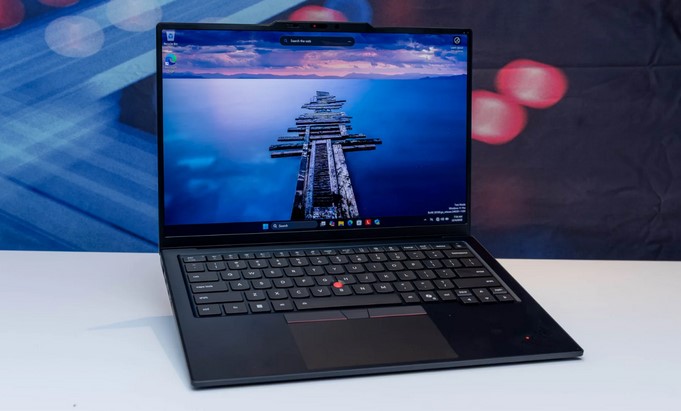
Last week, a junior data scientist pinged me on Slack, desperate. He had tried to fine-tune a modest 7-billion parameter local Large Language Model (LLM) on his sleek, ultra-thin ultrabook. Midway through the second epoch, his laptop didn’t just freeze—it thermal-throttled so aggressively that the chassis was physically hot enough to fry an egg, and the process crashed with the dreaded Out of Memory (OOM) error.
In my ten years of working at the intersection of healthtech and high-performance computing, I’ve seen this exact story play out a hundred times. People buy a laptop based on flashy design or pure CPU speed, completely ignoring how machine learning actually punishes hardware.
Selecting the best laptops for machine learning isn’t about buying the most expensive machine on the shelf. It’s about matching your hardware configuration to your specific data pipeline. Let’s break down what actually moves the needle in 2026 and look at the absolute best rigs available for beginners and intermediate practitioners.
The Core Spec Hierarchy: What Actually Matters?
When you are buying a machine for AI development, the marketing stickers on the box will try to sell you on screen resolution or NPU (Neural Processing Unit) “TOPS” numbers. Don’t fall for it.
To understand what you need, think of training a neural network like cooking a massive banquet dinner:
The Kitchen Analogy: The CPU is your chef—it coordinates everything. The SSD storage is your pantry—it holds all your raw ingredients (datasets). The RAM is your kitchen counter space—if it’s too small, you can’t chop veggies and roll dough at the same time. Finally, the GPU VRAM is a specialized high-speed blender; without it, certain complex sauces take hours to blend by hand.
The Best Laptops for Machine Learning in 2026
The hardware landscape has shifted dramatically. NVIDIA’s next-gen Blackwell RTX 50-series GPUs have hit the mobile market, and Apple’s M4 and M5 unified memory architectures have redefined how we handle large models locally. Here are the top contenders that I have vetted for real-world ML workloads.
| Laptop | Best For | Key Specs | Price Range |
| ASUS ROG Strix G16 | Overall Best Value | Intel Core i7, 16GB-32GB RAM, RTX 5060 (GDDR7) | Budget to Mid |
| MacBook Pro 16″ (M4/M5 Max) | Unified Memory Powerhouse | Up to 16-Core CPU, Up to 128GB Unified RAM | Premium |
| Lenovo ThinkPad P16 Gen 3 | Desktop-Class Workstation | Intel Ultra 9, 64GB RAM, NVIDIA RTX PRO 5000 | Enterprise |
| ASUS ROG Zephyrus G16 | Deep Learning Portable | AMD Ryzen AI 9, 32GB RAM, RTX 5070 Ti | Mid-High |
1. ASUS ROG Strix G16 — The Unbeatable Budget Entry
If you are a student or a beginner jumping into TensorFlow and PyTorch, this machine is the absolute sweet spot.
-
The Big Win: It packs NVIDIA’s latest RTX 5060 GPU utilizing ultra-fast GDDR7 memory. Because deep learning libraries rely heavily on NVIDIA’s CUDA architecture, having a dedicated green-team card is non-negotiable if you want to train neural networks locally.
-
The Catch: It looks like a gaming laptop, complete with RGB lighting, and the battery life maxes out at around 4 hours under development workloads.
2. Apple MacBook Pro 16″ (M4/M5 Series) — The Local LLM King
Apple Silicon handles machine learning differently, and it has completely stolen the hearts of intermediate developers who work with large models.
-
The Big Win: Unified Memory Architecture. In a typical Windows laptop, your GPU VRAM is capped (usually 8GB to 16GB). If a model is 20GB, it won’t fit. Apple’s unified memory allows the GPU to utilize up to 128GB of RAM as VRAM. If you want to run or prototype local LLMs or Stable Diffusion pipelines without quantization compromises, this is the gold standard.
-
The Catch: No native CUDA support. You’ll be relying on Apple’s MLX framework or Metal Performance Shaders (MPS). It is also heavily expensive.
3. Lenovo ThinkPad P16 Gen 3 — The Heavyweight Enterprise Choice
For intermediate practitioners handling massive local data preprocessing, tabular data engineering, and heavy Apache Spark pipelines.
-
The Big Win: Utter reliability and unparalleled expandability. It features the NVIDIA RTX PRO 5000 workstation card and can be expanded up to an insane 192GB of DDR5 RAM. Its cooling solution is built like a tank, ensuring no thermal throttling during an all-night local training run.
-
The Catch: It weighs over 2.5 kg. This is a “portable desktop,” not something you comfortably work with on an airplane tray table.
Technical Breakdown: GPU VRAM vs. Unified Memory
If you are confused between choosing a Windows RTX machine or an Apple Silicon Mac, look closely at your primary day-to-day work:
                  YOUR MACHINE LEARNING WORKFLOW
                                |
        +-----------------------+-----------------------+
        |                                               |
  DEEP LEARNING / CUDA                              LOCAL LLMs /
(PyTorch, TensorFlow, CNNs)                    LARGE DATASETS (Pandas)
        |                                               |
        v                                               v
NVIDIA RTX (e.g., RTX 5070)                      APPLE SILICON (M4/M5)
  Pros: Raw processing speed                      Pros: Massive memory pool
  Cons: VRAM bottleneck (8-12GB)                   Cons: Lacks CUDA ecosystem
Pro Insights for Tech Buyers
💡 Pro Tip: Prioritize VRAM and RAM Over CPU Cores
When budgeting, sacrifice the CPU upgrade to buy more memory. An extra 16GB of system RAM or moving from an 8GB GPU to a 12GB GPU will save you from thousands of crashed execution codes. Your data science libraries can be offloaded to the cloud; your local code writing environment cannot.
⚠️ Watch the TGP (Total Graphics Power)
Not all identical GPUs are equal! A thin-and-light laptop with an RTX 5070 restricted to 65W of power will perform significantly worse than a thicker gaming laptop running the exact same RTX 5070 pushed to 140W TGP. Always check the power wattage in the deep technical specs before purchasing.
Final Verdict: Which One Fits Your Desk?
If you are just starting out and need CUDA capability on a budget, buy an ASUS ROG Strix or TUF variant with an RTX 50-series card. If your work revolves around data analytics, text processing, and local LLM deployment—and you have the budget—the MacBook Pro with an M4/M5 Pro or Max chip offers an unmatched portable environment.
Remember: Your laptop is a tool to prototype, clean data, and write code. For massive datasets, you will eventually offload the heavy lifting to cloud instances like AWS, Google Cloud, or Vast.ai anyway. Buy a machine that makes the local development process seamless.
What’s Your ML Workflow Look Like?
Are you planning to focus primarily on deep learning computer vision, or are you looking to dive straight into engineering large language models? Leave a comment below detailing your budget and career goals, and I’ll help you pick the exact spec layout you need!
For a deeper visual dive into real-world performance benchmarks, hardware comparisons, and avoiding common purchasing mistakes, check out this comprehensive Laptop Ranking Guide for AI and Machine Learning Engineers. This video breaks down why traditional tech reviews often recommend the wrong specifications for actual code training.